


- Script Code -
dofile(reaper.AZ_GetLuaInitPath())
require("reaper_AZSTOKE_BRONZE")
require("reaper_AZSTOKE_SILVER")
require("reaper_AZSTOKE_GOLD")
retval, inputList = reaper.AZ_GetUserInputList("", 2, "Source Path,Excel Path", ",")
if retval then
sourceParentPath = inputList[1]
excelPath = inputList[2]
track = reaper.AZ_InsertTrackSearchUniqueOnly(0, "work")
sourcePathList = reaper.AZ_GetFilePathList(sourceParentPath, "wav")
items = reaper.AZ_InsertMediaItems(track, sourcePathList, 0, 1)
excel = reaper.AZ_Excel_OpenFile(excelPath)
worksheet = reaper.AZ_Excel_OpenWorksheet(excel, "volume")
for i, item in pairs(items)do
itemName = reaper.AZ_GetMediaItemName(item)
searchResult = reaper.AZ_Excel_SearchRowsInWorksheet(worksheet, itemName, "A")
volume = 0
for k, v in pairs(searchResult["Cells"]) do
volume = v["B"]
end
if volume ~= 0 then
reaper.AZ_SetMediaItemVolume(item, volume)
end
end
reaper.AZ_Excel_CloseFile(excel)
end




- Warm Up -
Prepare an Excel file
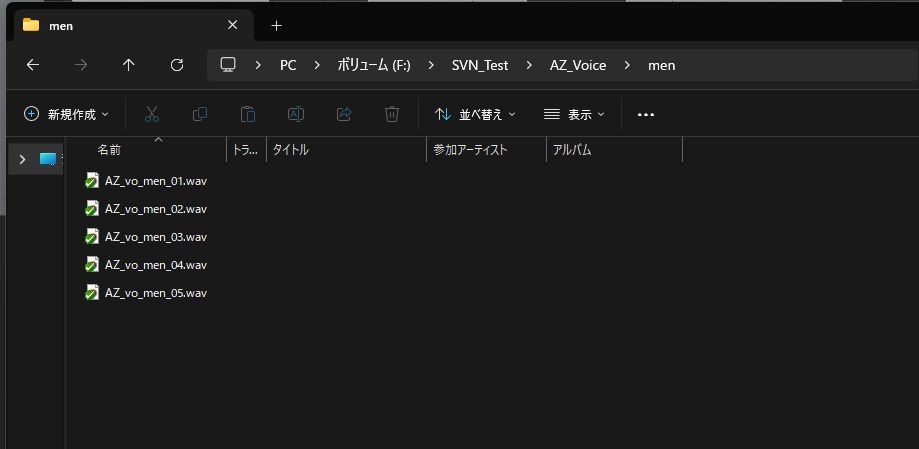
Prepare the audio files to import
- Script Detail -
dofile(reaper.AZ_GetLuaInitPath())
require("reaper_AZSTOKE_BRONZE")
require("reaper_AZSTOKE_SILVER")
require("reaper_AZSTOKE_GOLD")
・Import RIGDOCKS
retval, inputList = reaper.AZ_GetUserInputList("", 2, "Source Path,Excel Path", ",")
・Prompt for the required input
if retval then
sourceParentPath = inputList[1]
・Get the parent folder path of the audio files from the input values
excelPath = inputList[2]
・Get the Excel file path from the input values
track = reaper.AZ_InsertTrackSearchUniqueOnly(0, "work")
・Create a track named "work"
sourcePathList = reaper.AZ_GetFilePathList(sourceParentPath, "wav")
・Get all audio file paths under the parent folder
items = reaper.AZ_InsertMediaItems(track, sourcePathList, 0, 1)
・Insert the audio files into the "work" track
excel = reaper.AZ_Excel_OpenFile(excelPath)
・Open the Excel file
worksheet = reaper.AZ_Excel_OpenWorksheet(excel, "volume")
・Open the "volume" worksheet of the Excel file
for i, item in pairs(items)do
itemName = reaper.AZ_GetMediaItemName(item)
・Get the media item name
searchResult = reaper.AZ_Excel_SearchRowsInWorksheet(worksheet, itemName, "A")
・Search whether the worksheet has a row corresponding to the media item name
volume = 0
for k, v in pairs(searchResult["Cells"]) do
volume = v["B"]
・If there is a corresponding row, get the volume value in column B
end
if volume ~= 0 then
reaper.AZ_SetMediaItemVolume(item, volume)
・Only if a volume value was obtained, set the media item's volume to that value
end
end
reaper.AZ_Excel_CloseFile(excel)
・Close the Excel file
end
- API LINK -
- API LINK -
Excel
AZSTOKE_Excel_SetVolume_1
Import audio files into Reaper and match volume values to the data in an Excel file


